One-page event ticket
Design weekend ticket
This ticket fits the event, guest, venue, and a scannable entry reference into an 8 × 3¼ inch PDF designed for printing.
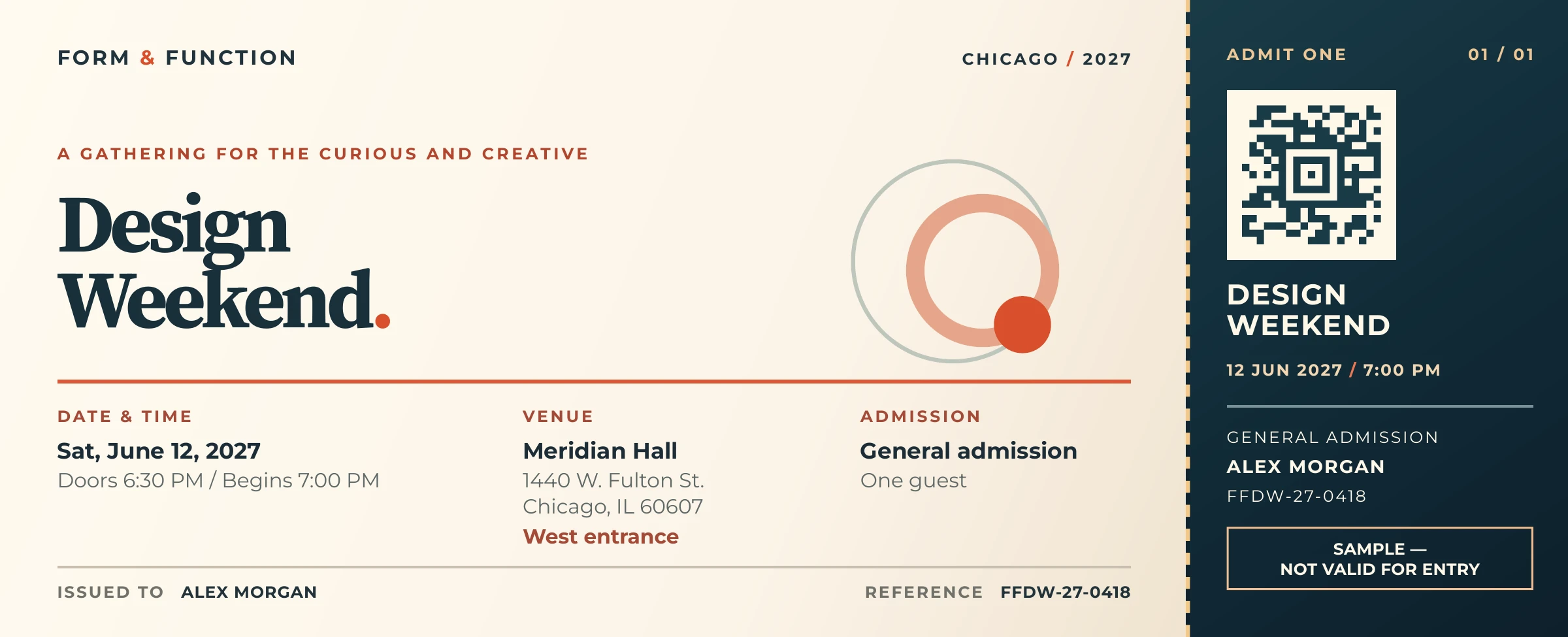
Highlighted features
Exact ticket-sized @page
@page sets an exact 8 × 3¼ inch sheet with zero margins, ready to print at ticket size.
Grid layout with a dashed stub
A two-column CSS Grid reserves the right column for the stub; a dashed left border marks the detachable edge.
Colored vector Aztec barcode
A native Aztec barcode encodes the entry reference in dark teal on cream, matching the ticket's palette while retaining vector artwork.
How the layout works
The page rule sets size: 8in 3.25in and margin: 0, so the document is ticket-sized from the start. The outer grid splits the main information area from the right-hand admission stub, whose dashed left border marks the detachable edge. Smaller grids keep the venue, schedule, and reference number aligned.
CSS gradients distinguish the warm main ticket from the dark stub; circular motif elements add ornament without an image file. The guest details and the “sample — not valid for entry” notice remain ordinary HTML text. The source ZIP includes both font files and their license notices.
Encode the entry reference
The Aztec code in the stub encodes FFDW-27-0418, the same reference printed on the ticket. Its dark teal modules and cream background use colors from the existing design:
.stub-barcode {
  background-image: -precision-barcode(
    aztec, attr(data-reference), #193b47, #fff8e9
  );
}
The 22 mm panel includes 2 mm of cream padding around the symbol. background-size: contain preserves its proportions. See the barcode guide for all ten formats, color options, and a complete PDF gallery.
Generate the PDF
Extract the source ZIP, keep ticket.html, ticket.css, and fonts/ together, and run from that directory.
precisionpdf ticket.html ticket.pdffrom precisionpdf import HTML
HTML(filename="ticket.html").write_pdf("ticket.pdf")