Barcodes
Generate barcodes directly in your HTML and CSS. PrecisionPDF turns them into vector artwork in the PDF and includes each format's quiet zone. Choose the colors and size to suit your document.
Barcode generation is included in Professional. Use the -precision-barcode() CSS image function in generated content or background-image:
-precision-barcode(format, data, foreground, background)The two color arguments are optional and default to black on white. The previews on this page are generated with PrecisionPDF from the same CSS expressions shown below.
QR Code: link to a report
Put an absolute URL in the QR function. This complete HTML fragment adds a QR code after the visible link:
<style>
  .report::after {
    display: block;
    content: -precision-barcode(qr-code, "https://example.com/report") / "Report QR code";
    margin-top: 4mm;
  }
</style>
<a class="report" href="https://example.com/report">Read the report</a>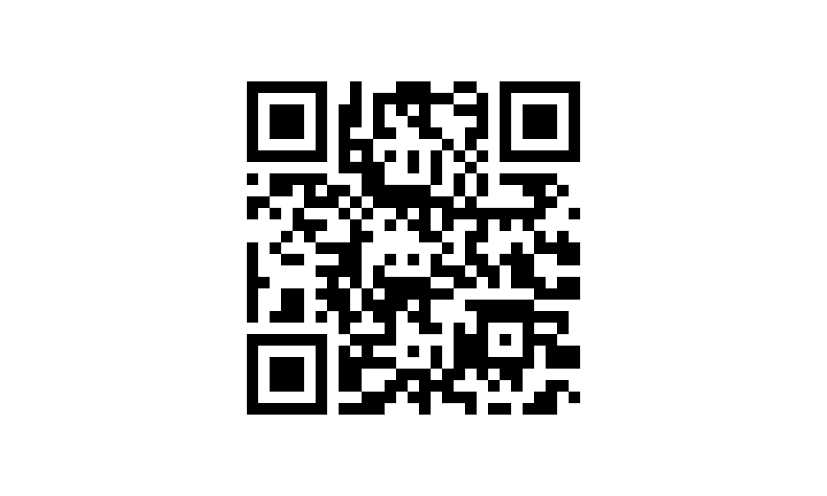
QR Code accepts nonempty text, including Unicode, or URL input. Error correction defaults to M. The image includes a quiet zone of four modules on every side; a module is one small square in the code.
Code 128: label a shipment
Pass code128 and a nonempty string of printable ASCII characters. The encoder selects the code sets automatically. Keep a visible copy of the reference beside the barcode:
<style>
  .shipment::before {
    display: block;
    content: -precision-barcode(code128, "SHIP-123");
    margin-bottom: 3mm;
  }
</style>
<p class="shipment">Shipment SHIP-123</p>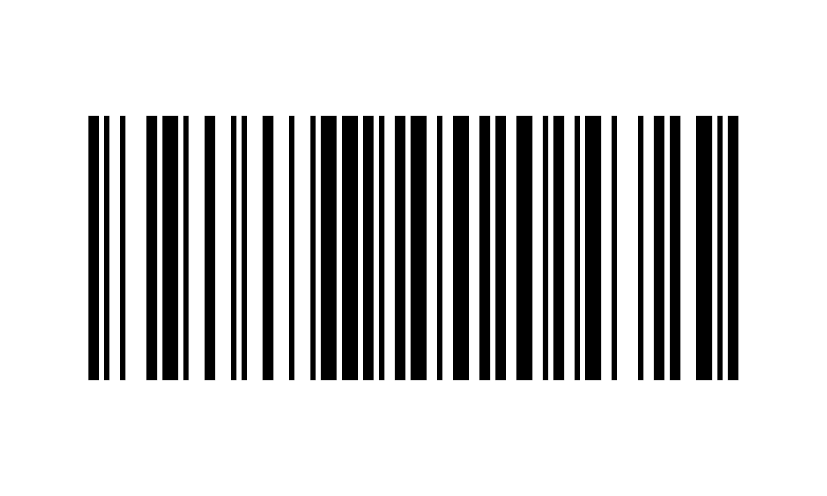
Code 128 includes ten modules of quiet space at each end. Add the human-readable reference as ordinary HTML text. code-128 is also accepted as a format name.
EAN-13: label a retail item
Supply exactly 13 ASCII digits, including a valid check digit. Keep the value quoted so leading zeros are preserved:
<style>
  .retail::before {
    display: block;
    content: -precision-barcode(ean-13, "4006381333931");
    margin-bottom: 3mm;
  }
</style>
<p class="retail">Sample retail item</p>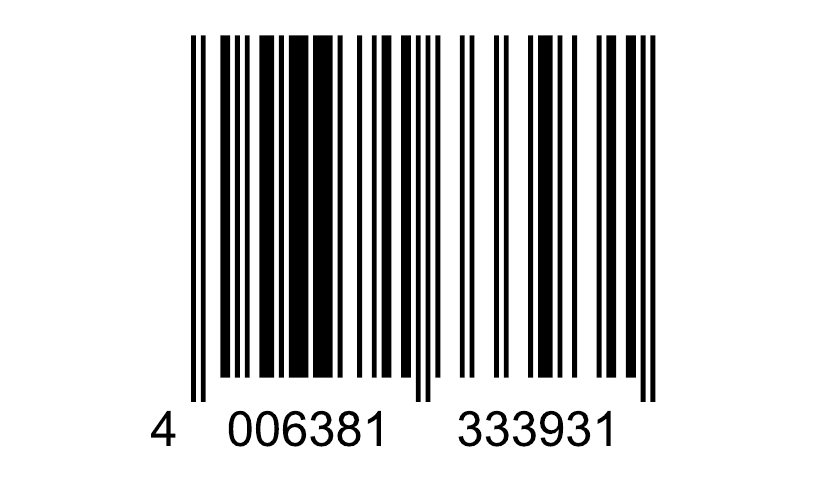
The generated image includes the human-readable digits and extended guard bars. Supply the complete number with a valid check digit. The quiet zone is eleven modules on the left and seven on the right.
Supported formats
Use the same function for all ten formats. Each example includes the encoded value and its input requirements. All data must be nonempty; keep numeric values quoted to preserve leading zeros.
QR Code
-precision-barcode(qr-code, "https://example.com/report")
Data: https://example.com/report
UTF-8 text or a URL. Four modules of quiet space on each side; error correction M by default.
Data Matrix
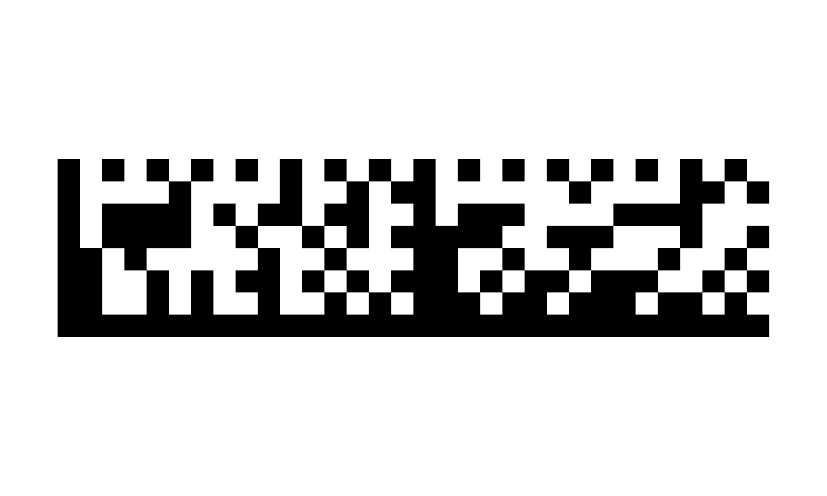
-precision-barcode(data-matrix, "PART-123")
Data: PART-123
UTF-8 text, encoded as Data Matrix ECC 200. One module of quiet space on each side.
Aztec
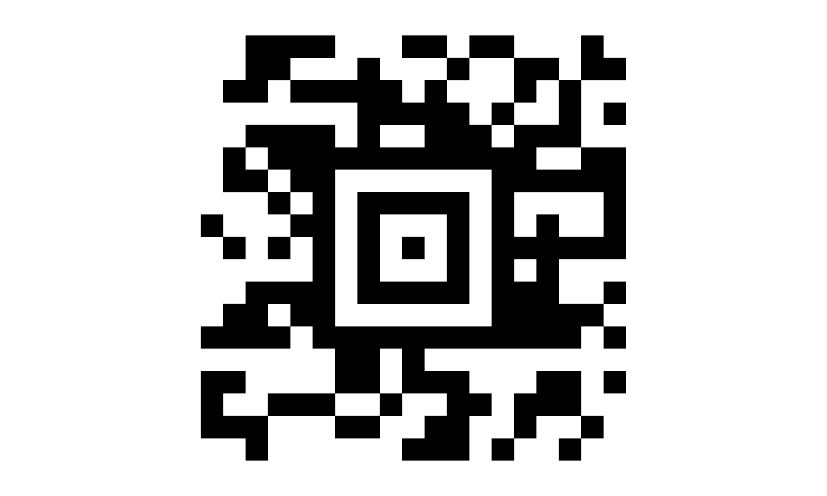
-precision-barcode(aztec, "FFDW-27-0418")
Data: FFDW-27-0418
UTF-8 text. Layers are selected automatically, with 33% minimum error correction.
PDF417
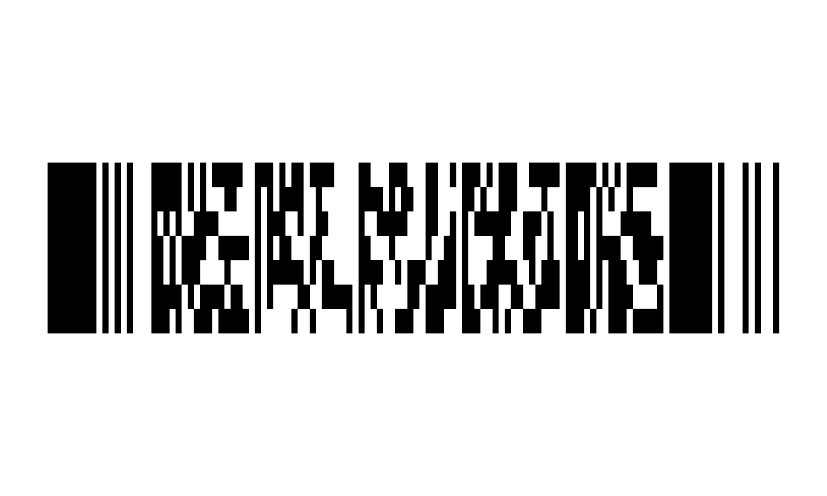
-precision-barcode(pdf417, "BOARDING-PASS")
Data: BOARDING-PASS
UTF-8 text. Error correction level 2, automatic dimensions, and two modules of quiet space on each side.
Code 128
-precision-barcode(code128, "SHIP-123")
Data: SHIP-123
Printable ASCII. Code sets are selected automatically; ten modules of quiet space at each end. Also accepts code-128.
Code 39
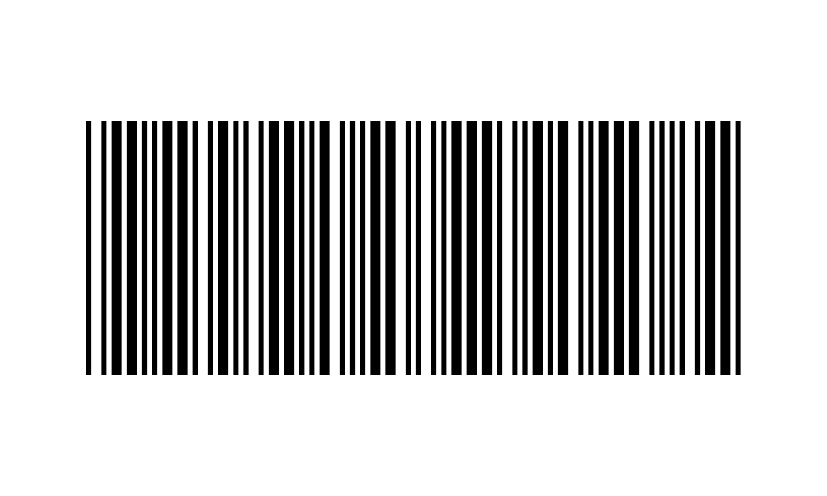
-precision-barcode(code-39, "PART-123")
Data: PART-123
Uppercase A-Z, digits, space, and - . $ / + %. Ten modules of quiet space at each end.
EAN-13
-precision-barcode(ean-13, "4006381333931")
Data: 4006381333931
Exactly 13 ASCII digits, including a valid check digit. Human-readable digits are included.
EAN-8
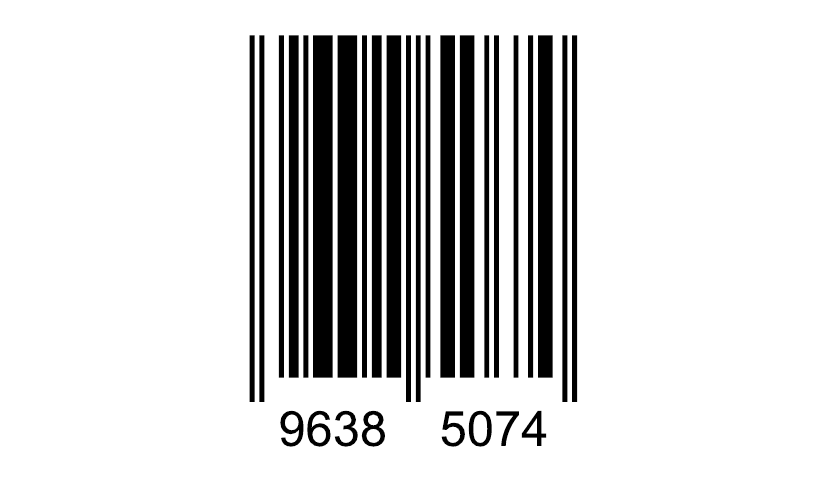
-precision-barcode(ean-8, "96385074")
Data: 96385074
Exactly 8 ASCII digits, including a valid check digit. Human-readable digits are included.
UPC-A
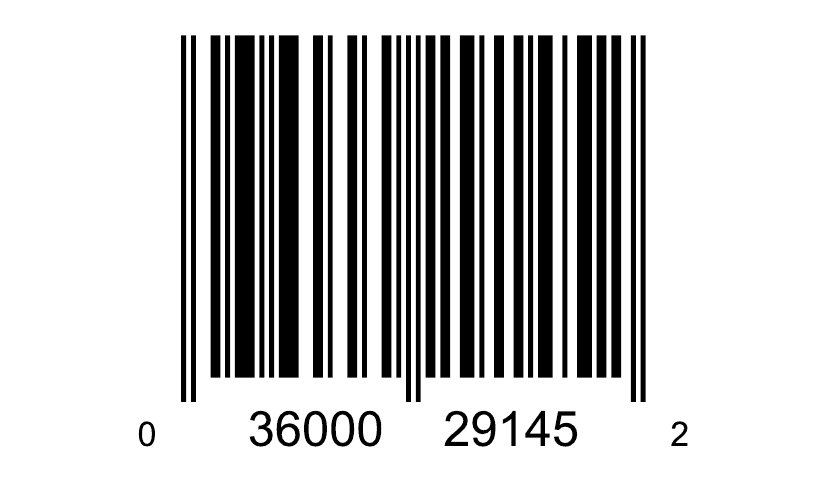
-precision-barcode(upc-a, "036000291452")
Data: 036000291452
Exactly 12 ASCII digits, including a valid check digit. Human-readable digits are included.
UPC-E
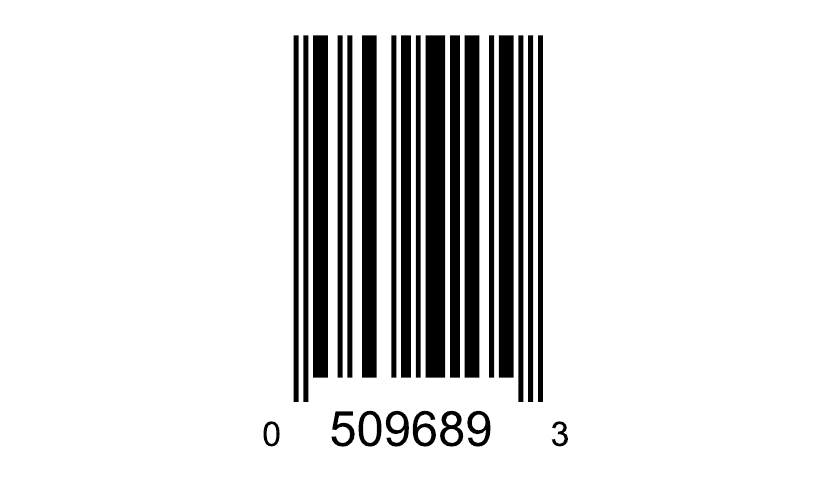
-precision-barcode(upc-e, "05096893")
Data: 05096893
Exactly 8 ASCII digits, starting with number system 0 or 1. The check digit is validated after UPC-A expansion; digits are included.
Supply data from your document
Use a quoted CSS string for fixed data. Use attr() to read template data from an HTML attribute, or var() to share a quoted value through a CSS custom property:
<style>
  .tracking::before {
    content: -precision-barcode(code128, attr(data-reference));
  }
  .report {
    --report-url: "https://example.com/report";
    width: 35mm;
    height: 35mm;
    background-image: -precision-barcode(qr-code, var(--report-url));
    background-repeat: no-repeat;
    background-size: contain;
  }
</style>
<p class="tracking" data-reference="SHIP-123">Shipment SHIP-123</p>
<div class="report"></div>
<p>Report: https://example.com/report</p>
attr() encodes the literal attribute text. For example, attr(href) on a link to /report encodes /report, without converting it to an absolute URL. Supply an absolute attribute value when a scanned link must include its destination's domain.
The qr-code format also accepts url():
.report {
  background-image: -precision-barcode(qr-code, url("https://example.com/report"));
}
Here the URL is encoded as text; it is not fetched. A relative url() is resolved against the stylesheet or document base URL before encoding. Prefer absolute URLs when the same source will be rendered from different locations.
Size and place a barcode
Generated content uses the image's natural dimensions. To choose a physical size, use a background image in an explicitly sized box:
<style>
  .qr {
    width: 40mm;
    height: 40mm;
    background-image: -precision-barcode(qr-code, "https://example.com/report");
    background-size: contain;
    background-position: left center;
    background-repeat: no-repeat;
  }
</style>
<div class="qr"></div>
<p>Report: https://example.com/report</p>
contain preserves the image's aspect ratio. no-repeat prevents tiling. The dimensions include the background and quiet zone; leave both intact. Avoid stretching, clipping, covering, or shrinking the symbol until its modules are too small to scan.
At natural size, QR Code, Data Matrix, Aztec, and PDF417 use 4 CSS pixels per narrow module; linear formats use 1.25 CSS pixels per module. PDF417 preserves the relative height of its encoded rows. Test the final print at actual size with your intended scanner.
Choose colors
Pass the foreground color third and the background fourth. For example, this Aztec code uses the dark teal and cream from the event ticket:
.ticket-code {
  background-image: -precision-barcode(aztec, "FFDW-27-0418", #193b47, #fff8e9);
}
Both arguments accept CSS colors, including color functions, alpha, currentColor, and light-dark(). To change only the background, pass black explicitly as the foreground.
.ticket-code {
  color: #193b47;
  background-color: #fff8e9;
  background-image: -precision-barcode(qr-code, "FFDW-27-0418", currentColor, transparent);
}
currentColor uses the element's computed text color. A transparent background lets the underlying surface show through, including in the quiet zone. Keep that surface flat and clear, with strong contrast between the modules and background.
Choose QR error correction
Put the correction setting inside qr-code():
.report {
  background-image: -precision-barcode(
    qr-code(error-correction-high),
    "https://example.com/report"
  );
}| Format argument | Level |
|---|---|
qr-code(error-correction-low) | L |
qr-code(error-correction-medium) | M (default) |
qr-code(error-correction-quartile) | Q |
qr-code(error-correction-high) | H |
Bare qr-code uses M. Higher correction adds redundancy and can increase the symbol's density. QR version and mask are selected automatically.
Validate data and scan quality
Use the input rules shown with each format. An invalid value or check digit invalidates the CSS declaration; encoding failures also emit a diagnostic. Run precisionpdf --debug document.html document.pdf when diagnosing missing artwork.
Keep a visible label and equivalent text beside a barcode so readers can use the document without scanning. For reliable scanning, preserve the quiet zone, use strong contrast, and test the final printed size.
Complete PDF gallery
The five-page gallery shows all ten formats, QR codes at 25 mm and 40 mm, generated-content and background placement, four ways to supply data, custom colors, and all four QR correction levels. Every symbol has a visible caption. It uses one HTML file with inline CSS and no remote assets.
Open the PDF gallery or download the HTML source.
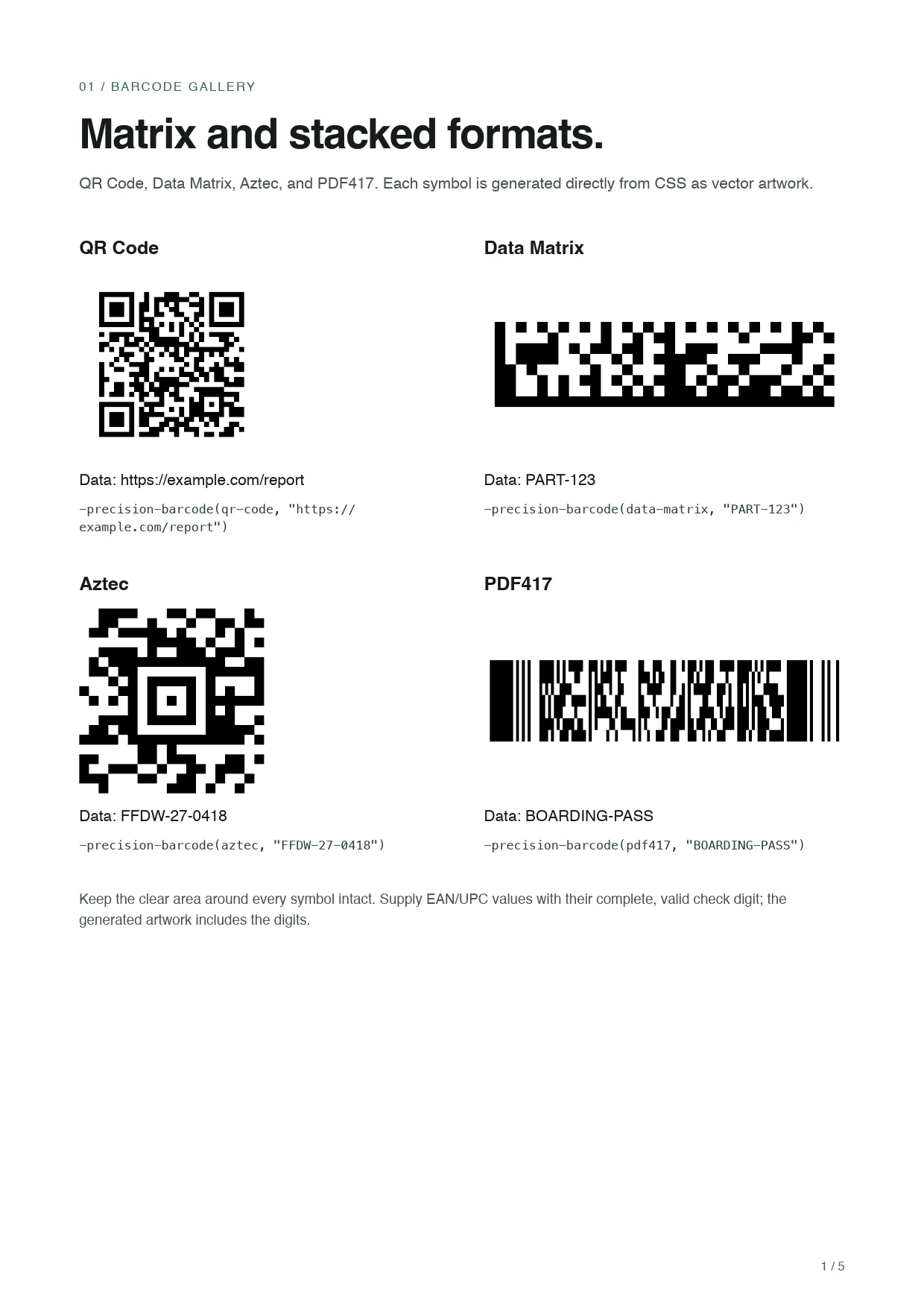
Save the following as barcode-gallery.html. This is the same source as the download:
<!doctype html>
<!-- Generated by scripts/build_barcode_examples.py. -->
<html lang="en">
<head>
<meta charset="utf-8">
<title>PrecisionPDF barcode gallery</title>
<style>
@page {
size: A4; margin: 18mm;
@bottom-right { content: counter(page) " / " counter(pages); font: 8pt sans-serif; color: #555; }
}
body { margin: 0; color: #171c19; font: 10pt/1.45 sans-serif; }
section + section { break-before: page; }
h1 { margin: 0 0 3mm; font-size: 27pt; line-height: 1.1; letter-spacing: -0.7pt; }
h2 { margin: 0 0 2mm; font-size: 12pt; }
p { margin: 0 0 3mm; }
.eyebrow { margin-bottom: 4mm; color: #37634b; font-size: 8pt; letter-spacing: 1pt; text-transform: uppercase; }
.intro { margin-bottom: 9mm; color: #46524a; }
.grid { display: grid; grid-template-columns: 1fr 1fr; gap: 8mm 10mm; }
figure { margin: 0; min-width: 0; break-inside: avoid; }
.art { display: flex; align-items: center; height: 42mm; margin-bottom: 3mm; }
.symbol { display: block; background-repeat: no-repeat; background-position: left center; background-size: contain; }
code { font: 8pt/1.45 monospace; overflow-wrap: anywhere; }
figcaption code { display: block; margin-top: 2mm; color: #283e31; }
.note { margin-top: 8mm; color: #46524a; font-size: 9pt; }
.linear .art { height: 27mm; }
.linear { row-gap: 6mm; }
.layout .art { height: 44mm; }
.generated::before { content: -precision-barcode(qr-code, "https://example.com/report") / "Report QR code"; }
.attribute::before { content: -precision-barcode(qr-code, attr(data-value)); }
.color-surface { background: #fff8e9; color: #193b47; padding: 3mm; }
.colors .art { height: 36mm; }
.levels { display: grid; grid-template-columns: repeat(4, 1fr); gap: 5mm; margin-top: 5mm; }
.levels h2 { font-size: 10pt; }
.levels .art { height: 28mm; }
.levels code { font-size: 7pt; }
.correction-heading { margin-top: 10mm; }
.variable { --barcode-data: "https://example.com/report"; }
</style>
</head>
<body>
<section>
<p class="eyebrow">01 / Barcode gallery</p>
<h1>Matrix and stacked formats.</h1>
<p class="intro">QR Code, Data Matrix, Aztec, and PDF417. Each symbol is generated directly from CSS as vector artwork.</p>
<div class="grid "><figure class="">
<h2>QR Code</h2>
<div class="art"><span class="symbol" style="width:100%;height:100%;background-image:-precision-barcode(qr-code, "https://example.com/report")"></span></div>
<figcaption>Data: https://example.com/report<code>-precision-barcode(qr-code, "https://example.com/report")</code></figcaption>
</figure>
<figure class="">
<h2>Data Matrix</h2>
<div class="art"><span class="symbol" style="width:100%;height:100%;background-image:-precision-barcode(data-matrix, "PART-123")"></span></div>
<figcaption>Data: PART-123<code>-precision-barcode(data-matrix, "PART-123")</code></figcaption>
</figure>
<figure class="">
<h2>Aztec</h2>
<div class="art"><span class="symbol" style="width:100%;height:100%;background-image:-precision-barcode(aztec, "FFDW-27-0418")"></span></div>
<figcaption>Data: FFDW-27-0418<code>-precision-barcode(aztec, "FFDW-27-0418")</code></figcaption>
</figure>
<figure class="">
<h2>PDF417</h2>
<div class="art"><span class="symbol" style="width:100%;height:100%;background-image:-precision-barcode(pdf417, "BOARDING-PASS")"></span></div>
<figcaption>Data: BOARDING-PASS<code>-precision-barcode(pdf417, "BOARDING-PASS")</code></figcaption>
</figure>
</div>
<p class="note">Keep the clear area around every symbol intact. Supply EAN/UPC values with their complete, valid check digit; the generated artwork includes the digits.</p>
</section>
<section>
<p class="eyebrow">02 / Barcode gallery</p>
<h1>Linear and retail formats.</h1>
<p class="intro">Six formats for references, parts, and retail labels. Every value below is sample data.</p>
<div class="grid linear"><figure class="">
<h2>Code 128</h2>
<div class="art"><span class="symbol" style="width:100%;height:100%;background-image:-precision-barcode(code128, "SHIP-123")"></span></div>
<figcaption>Data: SHIP-123<code>-precision-barcode(code128, "SHIP-123")</code></figcaption>
</figure>
<figure class="">
<h2>Code 39</h2>
<div class="art"><span class="symbol" style="width:100%;height:100%;background-image:-precision-barcode(code-39, "PART-123")"></span></div>
<figcaption>Data: PART-123<code>-precision-barcode(code-39, "PART-123")</code></figcaption>
</figure>
<figure class="">
<h2>EAN-13</h2>
<div class="art"><span class="symbol" style="width:100%;height:100%;background-image:-precision-barcode(ean-13, "4006381333931")"></span></div>
<figcaption>Data: 4006381333931<code>-precision-barcode(ean-13, "4006381333931")</code></figcaption>
</figure>
<figure class="">
<h2>EAN-8</h2>
<div class="art"><span class="symbol" style="width:100%;height:100%;background-image:-precision-barcode(ean-8, "96385074")"></span></div>
<figcaption>Data: 96385074<code>-precision-barcode(ean-8, "96385074")</code></figcaption>
</figure>
<figure class="">
<h2>UPC-A</h2>
<div class="art"><span class="symbol" style="width:100%;height:100%;background-image:-precision-barcode(upc-a, "036000291452")"></span></div>
<figcaption>Data: 036000291452<code>-precision-barcode(upc-a, "036000291452")</code></figcaption>
</figure>
<figure class="">
<h2>UPC-E</h2>
<div class="art"><span class="symbol" style="width:100%;height:100%;background-image:-precision-barcode(upc-e, "05096893")"></span></div>
<figcaption>Data: 05096893<code>-precision-barcode(upc-e, "05096893")</code></figcaption>
</figure>
</div>
<p class="note">Keep the clear area around every symbol intact. Supply EAN/UPC values with their complete, valid check digit; the generated artwork includes the digits.</p>
</section>
<section>
<p class="eyebrow">03 / Barcode gallery</p>
<h1>Size with CSS.</h1>
<p class="intro">Each symbol encodes https://example.com/report. Print at actual size to compare the 25 mm and 40 mm examples.</p>
<div class="grid layout"><figure class="">
<h2>25 mm square</h2>
<div class="art"><span class="symbol" style="width:25mm;height:25mm;background-image:-precision-barcode(qr-code, "https://example.com/report")"></span></div>
<figcaption>width: 25mm; height: 25mm; background-size: contain;<code>-precision-barcode(qr-code, "https://example.com/report")</code></figcaption>
</figure>
<figure class="">
<h2>40 mm square</h2>
<div class="art"><span class="symbol" style="width:40mm;height:40mm;background-image:-precision-barcode(qr-code, "https://example.com/report")"></span></div>
<figcaption>width: 40mm; height: 40mm; background-size: contain;<code>-precision-barcode(qr-code, "https://example.com/report")</code></figcaption>
</figure>
<figure><h2>Generated content</h2><div class="art"><span class="generated"></span></div><figcaption>The image uses its natural size.<code>content: -precision-barcode(qr-code, "https://example.com/report") / "Report QR code";</code></figcaption></figure>
<figure class="">
<h2>Background image</h2>
<div class="art"><span class="symbol" style="width:40mm;height:40mm;background-image:-precision-barcode(qr-code, "https://example.com/report")"></span></div>
<figcaption>An explicitly sized box with background-size: contain and background-repeat: no-repeat.<code>-precision-barcode(qr-code, "https://example.com/report")</code></figcaption>
</figure>
</div>
<p class="note">Use contain to preserve proportions and no-repeat to prevent tiling. Keep modules large enough for your scanner and leave quiet zones clear. Test the final printed size.</p>
</section>
<section>
<p class="eyebrow">04 / Barcode gallery</p>
<h1>Choose where data lives.</h1>
<p class="intro">All four symbols encode https://example.com/report. Use the form that fits your template or stylesheet.</p>
<div class="grid"><figure class="">
<h2>CSS string</h2>
<div class="art"><span class="symbol" style="width:32mm;height:32mm;background-image:-precision-barcode(qr-code, "https://example.com/report")"></span></div>
<figcaption>A literal string supplies the data directly.<code>-precision-barcode(qr-code, "https://example.com/report")</code></figcaption>
</figure>
<figure><h2>HTML attribute</h2><div class="art"><span class="attribute" data-value="https://example.com/report"></span></div><figcaption>The originating element carries data-value="https://example.com/report".<code>content: -precision-barcode(qr-code, attr(data-value));</code></figcaption></figure>
<figure class="variable">
<h2>CSS custom property</h2>
<div class="art"><span class="symbol" style="width:32mm;height:32mm;background-image:-precision-barcode(qr-code, var(--barcode-data))"></span></div>
<figcaption>The property contains a quoted string: <code>--barcode-data: "https://example.com/report";</code><code>-precision-barcode(qr-code, var(--barcode-data))</code></figcaption>
</figure>
<figure class="">
<h2>URL input</h2>
<div class="art"><span class="symbol" style="width:32mm;height:32mm;background-image:-precision-barcode(qr-code, url("https://example.com/report"))"></span></div>
<figcaption>QR Code can encode a resolved URL without fetching it.<code>-precision-barcode(qr-code, url("https://example.com/report"))</code></figcaption>
</figure>
</div>
<p class="note">attr() encodes literal attribute text: a relative href stays relative. URL input resolves against the stylesheet or document base before encoding. Keep a visible label and equivalent text beside the barcode.</p>
</section>
<section>
<p class="eyebrow">05 / Barcode gallery</p>
<h1>Color and QR correction.</h1>
<p class="intro">Choose CSS colors and one of four QR error-correction levels. The defaults are black on white and QR correction M.</p>
<div class="grid colors"><figure class="">
<h2>Custom foreground and background</h2>
<div class="art"><span class="symbol" style="width:30mm;height:30mm;background-image:-precision-barcode(aztec, "FFDW-27-0418", #193b47, #fff8e9)"></span></div>
<figcaption>Dark teal on cream, matching the event ticket.<code>-precision-barcode(aztec, "FFDW-27-0418", #193b47, #fff8e9)</code></figcaption>
</figure>
<figure class="color-surface">
<h2>currentColor and transparency</h2>
<div class="art"><span class="symbol" style="width:30mm;height:30mm;background-image:-precision-barcode(qr-code, "FFDW-27-0418", currentColor, transparent)"></span></div>
<figcaption>The symbol inherits teal; its background reveals a flat cream surface.<code>-precision-barcode(qr-code, "FFDW-27-0418", currentColor, transparent)</code></figcaption>
</figure>
</div><h2 class="correction-heading">Four correction levels, the same URL</h2><div class="levels"><figure class="">
<h2>L / Low</h2>
<div class="art"><span class="symbol" style="width:25mm;height:25mm;background-image:-precision-barcode(qr-code(error-correction-low), "https://example.com/report")"></span></div>
<figcaption>Format argument<code>qr-code(error-correction-low)</code></figcaption>
</figure>
<figure class="">
<h2>M / Medium</h2>
<div class="art"><span class="symbol" style="width:25mm;height:25mm;background-image:-precision-barcode(qr-code(error-correction-medium), "https://example.com/report")"></span></div>
<figcaption>Format argument<code>qr-code(error-correction-medium)</code></figcaption>
</figure>
<figure class="">
<h2>Q / Quartile</h2>
<div class="art"><span class="symbol" style="width:25mm;height:25mm;background-image:-precision-barcode(qr-code(error-correction-quartile), "https://example.com/report")"></span></div>
<figcaption>Format argument<code>qr-code(error-correction-quartile)</code></figcaption>
</figure>
<figure class="">
<h2>H / High</h2>
<div class="art"><span class="symbol" style="width:25mm;height:25mm;background-image:-precision-barcode(qr-code(error-correction-high), "https://example.com/report")"></span></div>
<figcaption>Format argument<code>qr-code(error-correction-high)</code></figcaption>
</figure>
</div>
<p class="note">Foreground and background accept CSS colors, including currentColor and alpha. The background also fills the quiet zone. Keep strong contrast and a clear, flat background so symbols stay readable.</p>
</section>
</body>
</html>
Generate the gallery
With PrecisionPDF installed, run:
precisionpdf barcode-gallery.html barcode-gallery.pdfWith the Python package installed, run:
from precisionpdf import HTML

HTML(filename="barcode-gallery.html").write_pdf("barcode-gallery.pdf")